
macOS · Testing With Friends & Family
Transcribbler
Transcription that never leaves your Mac.
Transcribbler turns audio into text on your own computer. Drop in a file, record a meeting, dictate into any app, or let it catch a phone call as it happens — the words are worked out by your Mac's own chip, and the audio never goes anywhere.
There's no account. No sign-in. The only things it ever fetches are the speech models, once, and the App Store receipt. That's it.
What It Looks Like
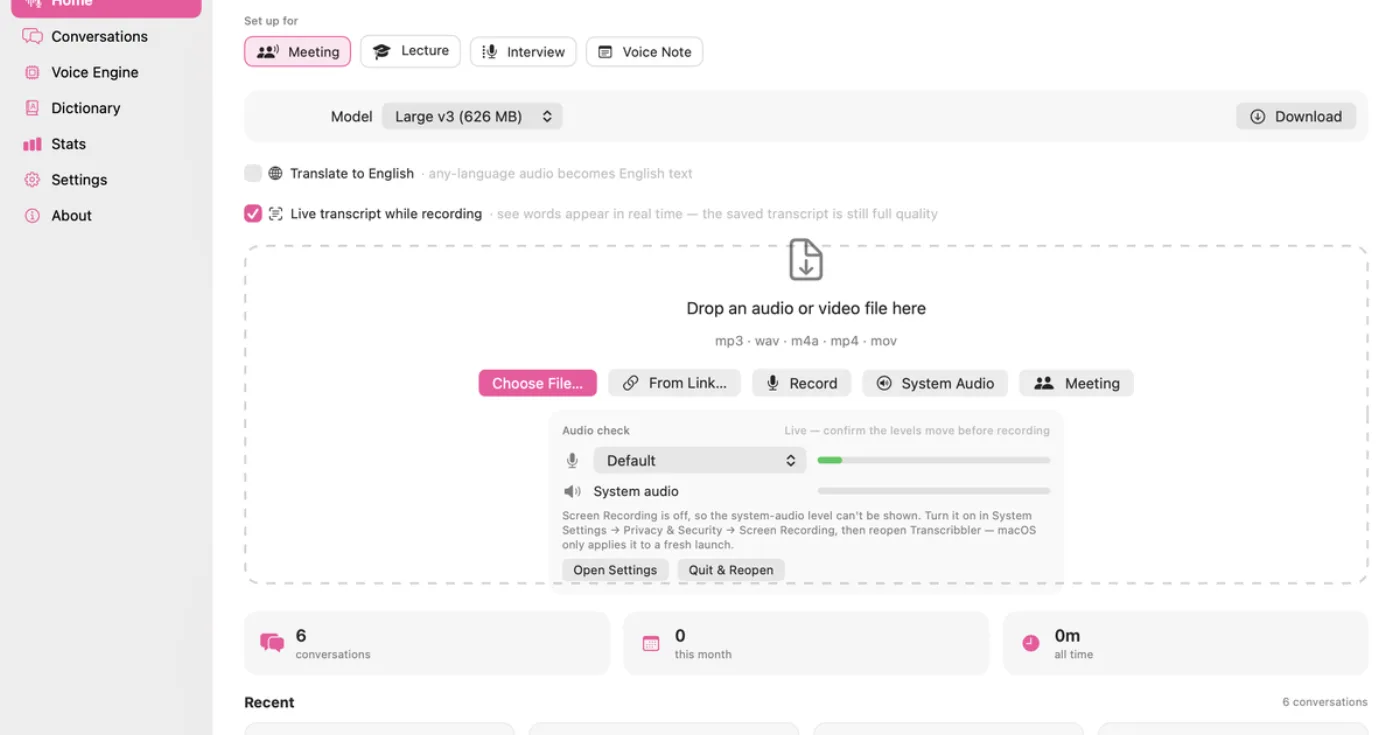
Transcribbler on a Mac, transcribing an audio file into text on the device with speaker labels.
What It Does
Files in any common format, batches of them, the microphone, the system audio, or both mixed together for a meeting. A menu-bar button for quick recordings. System-wide dictation with one shortcut. Live captions. It notices when Zoom or FaceTime or the Phone app starts a call and offers to record.
Who's Talking
It tells speakers apart on-device, and once it's heard someone a few times you can give them a name and it'll recognize them next time. Every conversation shows who said how much.
A Library, Not A Pile
Everything lands in one searchable place with automatic titles and tags, a view per person, and a word cloud when you want the shape of a conversation at a glance.
AI, Only If You Ask
Summaries, action items and decisions are there — but they're off by default and use your own API key with whichever provider you choose. Nothing about your recordings is sent anywhere unless you turn that on yourself.
How It Treats Your Data
Transcribbler is built so that it can't leak: the transcription engine has no network access to give away. I don't run a server for it, so there is nothing of yours for me to hold.
Price
Free during beta. A one-time purchase when it ships — never a subscription.
Questions
Does it need the internet?
Only to download a speech model the first time you pick one. After that, everything works with Wi-Fi off.
Which engines does it use?
Whisper in every size up to Large v3, Parakeet, and Apple's own speech recognition. You can switch per recording.
Is it accurate with more than one person talking?
Yes — speaker separation runs on-device and you can correct and rename speakers if it gets one wrong.
Can I use it for therapy sessions or medical appointments?
That's exactly what I built it for. Because nothing leaves the Mac, there's no third party to worry about.